
Send per-product warranty emails, manuals, and checkout-success messages in Magento 2



Most products have something to say after the sale: a warranty to register, a manual to open, a battery that ships separately. Magento’s order emails are the same for every order, so that information usually ends up buried on a product page nobody revisits. OCMLabs Product Messaging lets you attach it to the SKUs it belongs to. Define a rule once, list the SKUs it covers, and the module sends a native Magento email at the order-lifecycle point you pick, shows a CMS block on the checkout success page, or both.
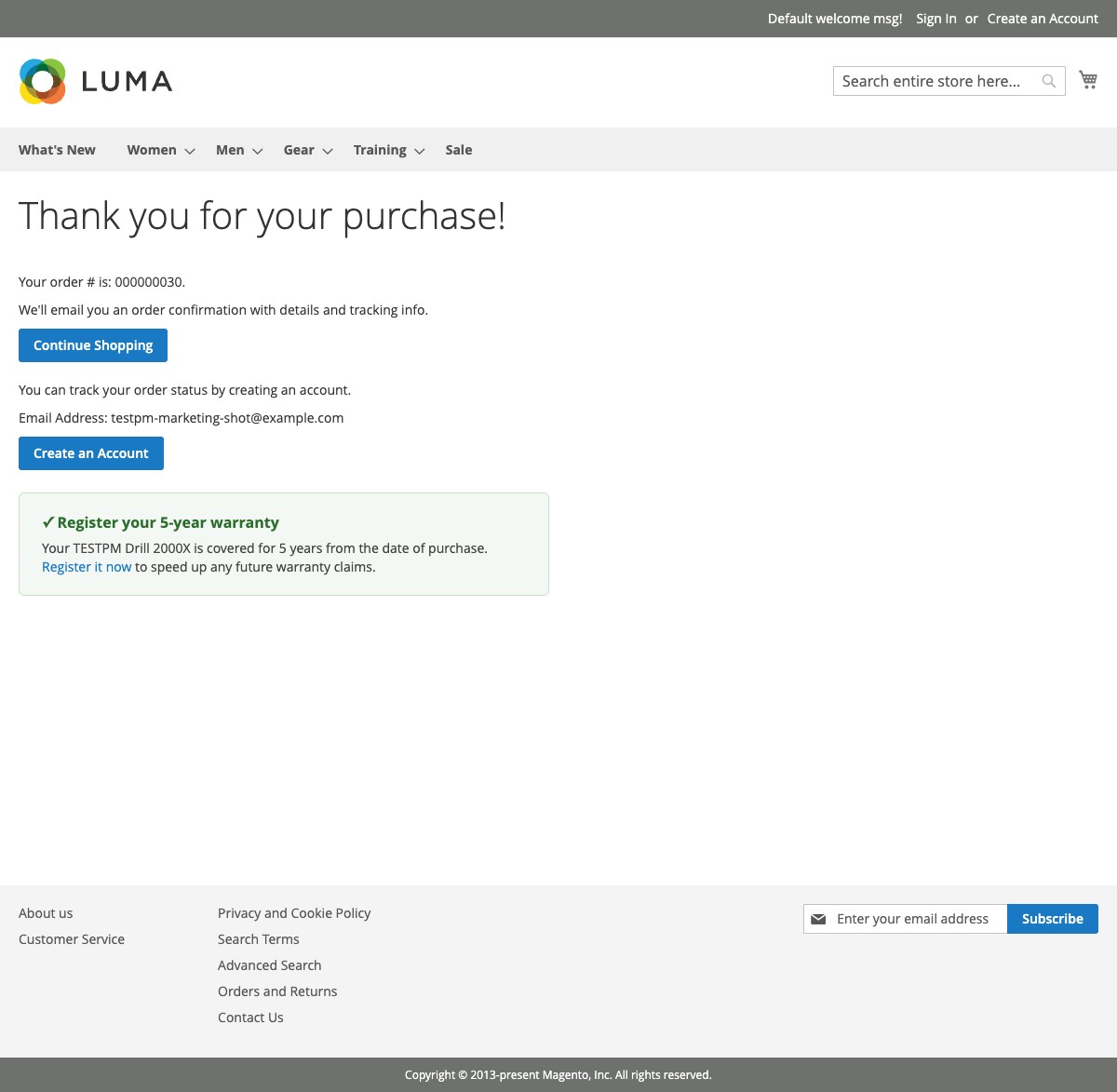
One rule, two independent actions
A rule matches a list of SKUs, exact or with a * wildcard, and drives two actions you switch on separately: Send Email and Show Block on Success Page. The two share only SKU matching and store view / customer group scope. A drill’s warranty rule can show “register your warranty” the moment the order is placed and still email a registration reminder three days after the drill ships. One order can match several rules and receive one email and one success-page block per matched rule.
Native templates and blocks, nothing proprietary
Emails are ordinary Magento DB email templates, edited in Marketing > Communications > Email Templates with the {{var}}, {{trans}}, {{if}} and {{for}} directives you already use. Success-page content is an ordinary CMS static block from Content > Blocks. Uninstall the module and your templates and blocks are still there. Two sample templates, a warranty email and an instruction-manual email, are installed on setup so you have a working starting point.
Checkout never waits on an email
When an order is placed, invoiced, or shipped, an observer matches SKUs and inserts a queue row. That is the whole request-path cost. A cron job sends the email on its next run, retries failures with exponential backoff, and records every send in an Email Log you can filter and resend from. A misconfigured rule is logged and skipped; it never breaks checkout, invoicing, or shipping.
One email per rule per order, guaranteed
A unique constraint on the rule-and-order pair means a rule cannot email the same order twice: not on a double save, not on a second invoice, not across two partial shipments. Shipment-triggered rules fire only when a matched SKU is in that specific shipment, so a split order sends the manual with the box that contains the product.
PDF attachments that are actually checked
Rules can carry PDF attachments that go out on every email the rule sends. Uploads are checked on extension and on real file content, so a renamed non-PDF is rejected, and a combined per-rule size cap keeps emails deliverable. If a file goes missing before a delayed email sends, the email still goes out without it and the gap is logged.
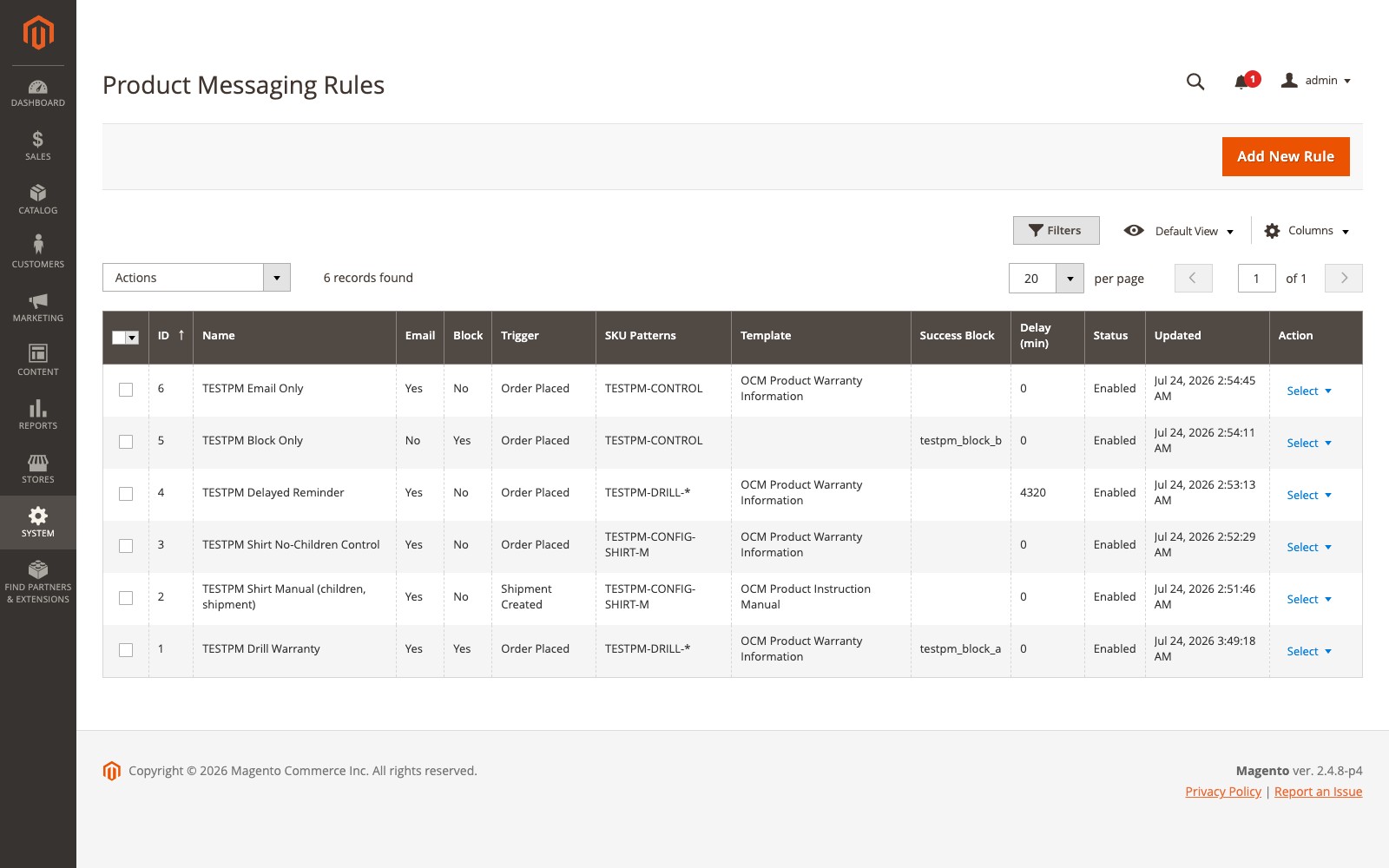
At a glance
- MODULE
- OCMLabs_ProductMessaging (Composer: ocmlabs/module-product-messaging)
- MAGENTO
- 2.4.7 - 2.4.9, Open Source and Adobe Commerce
- LICENSE
- $250 Magento Open Source, $500 Adobe Commerce (ocmlabs/module-product-messaging-commerce)
- PHP
- 8.2, 8.3, 8.4 or 8.5
- MATCHING
- Exact and * wildcard SKU patterns, case-insensitive, with optional child-SKU matching
- TRIGGERS
- Order Placed, Invoice Created, Shipment Created, each with an optional send delay
- DELIVERY
- Cron-driven queue, exponential backoff retry, Email Log with Resend and Cancel
- STOREFRONT
- Checkout success page CMS blocks, plain server-rendered HTML on Luma and Hyva
- REQUIRES
- Magento cron running bin/magento cron:run every minute
- ADMIN
- ACL-controlled: rule management, rule deletion, Email Log, configuration