
Configure sending, retries, Test Mode, and retention in Stores > Configuration



Module settings live at Stores > Configuration > OCM Labs > Product Messaging (section ocmlabs_productmessaging). Every field can be set at default, website, or store view scope. Access requires the OCMLabs_ProductMessaging::config ACL resource. Rules themselves are managed under Sales > Product Messaging > Rules.
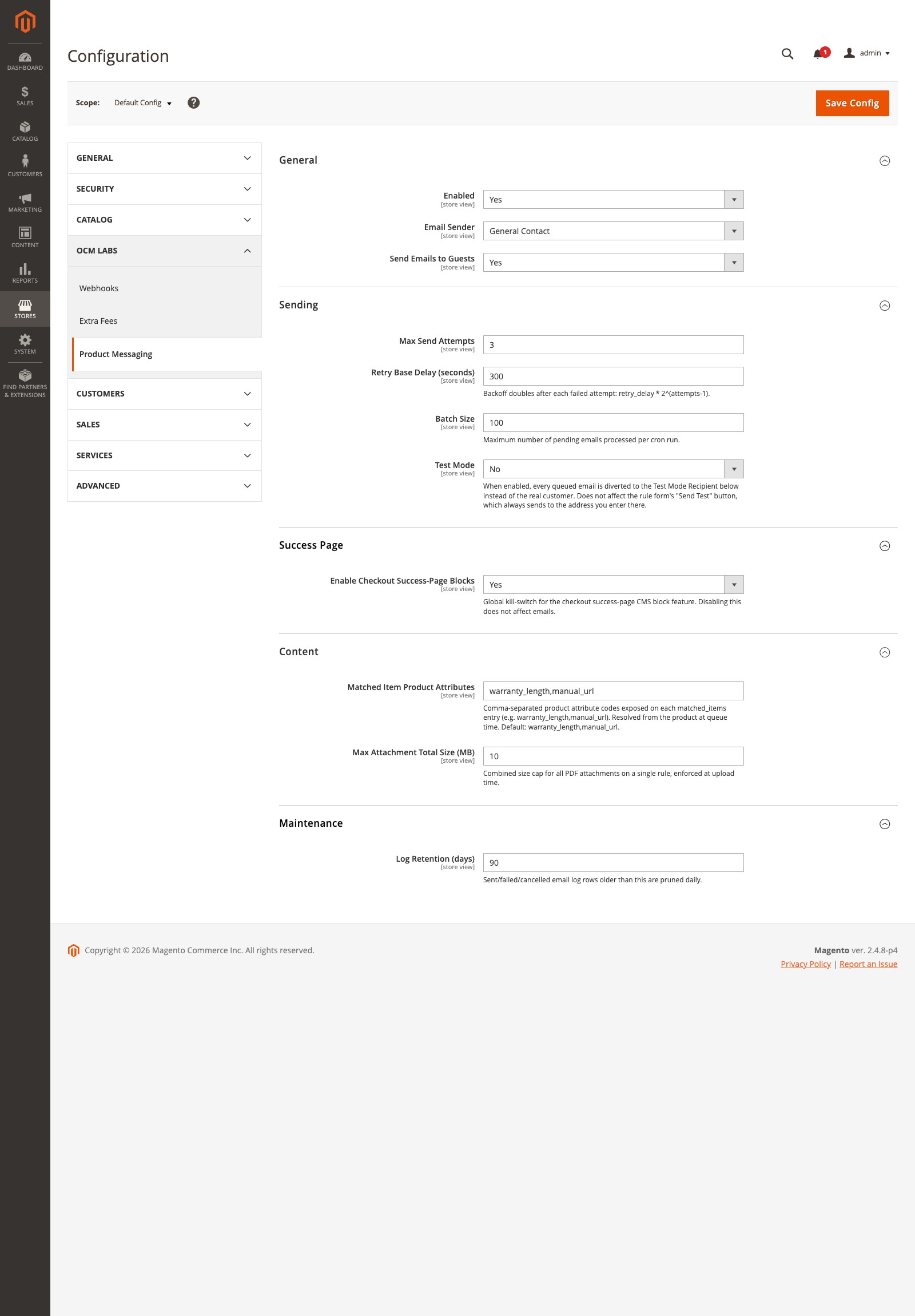
General
| Field | Config path | Default | Description |
|---|---|---|---|
| Enabled | ocmlabs_ | Yes | Master switch for both the email action and success-page blocks. |
| Email Sender | ocmlabs_ | general | Which sender identity from Stores > Configuration > General > Store Email Addresses queued emails are sent from. |
| Send Emails to Guests | ocmlabs_ | Yes | When No, guest orders are excluded from the email action. Success-page blocks are unaffected. |
Guest orders are emailed at the order’s guest email address, addressed to the billing name.
Sending
| Field | Config path | Default | Description |
|---|---|---|---|
| Max Send Attempts | ocmlabs_ | 3 | Total attempts, including the first, before a row is marked Failed for good. Range 1 - 100. |
| Retry Base Delay (seconds) | ocmlabs_ | 300 | Base for the backoff formula retry_. A single computed delay is capped at 24 hours. Range 1 - 86400. |
| Batch Size | ocmlabs_ | 100 | Maximum pending emails processed per cron run. Range 1 - 10000. |
| Test Mode | ocmlabs_ | No | Diverts every queued email to the Test Mode Recipient instead of the customer. Does not affect the Send Test button. |
| Test Mode Recipient | ocmlabs_ | (empty) | Required while Test Mode is Yes. If it is blank, queued rows fail with a logged error rather than falling through to the real customer. |
With the defaults, a failing email is retried 5 minutes after the first failure and 10 minutes after the second, then marked Failed. A missing email template fails immediately with no retry, since that cannot fix itself.
Test Mode is for staging
Test Mode exists so a staging copy of production data never emails real customers. The Email Log still records the original recipient with a note that the email was diverted. Turn it off before go-live, and check it after every database refresh. To preview a template in your own inbox, use the rule form’s Send Test button instead; see Email Log & Sending.
Success Page
| Field | Config path | Default | Description |
|---|---|---|---|
| Enable Checkout Success-Page Blocks | ocmlabs_ | Yes | Kill switch for success-page blocks only. Emails keep sending. |
Content
| Field | Config path | Default | Description |
|---|---|---|---|
| Max Attachment Total Size (MB) | ocmlabs_ | 10 | Combined cap for all PDF attachments on one rule, enforced at upload. Range 1 - 100. |
Maintenance
| Field | Config path | Default | Description |
|---|---|---|---|
| Log Retention (days) | ocmlabs_ | 90 | Sent, failed, and cancelled Email Log rows older than this are deleted by the nightly prune job. 0 means never prune. Range 0 - 3650. |
Values set outside the admin
bin/magento config:set, app/etc/env.php, and direct core_config_data rows bypass the admin form’s validation. The module clamps numeric settings when it reads them so a stray 0 cannot do damage: Max Send Attempts, Retry Base Delay, Batch Size, and Max Attachment Total Size floor at 1, and Log Retention floors at 0, which skips pruning rather than deleting the whole log.