
Configure the FAQ heading, tab label, and visibility settings in Stores > Configuration



FAQ display settings live under Stores > Configuration > OCMLabs > Product FAQs > Storefront Display. The group is store-view scoped, so each store view can use its own heading text, tab label, and visibility rules.
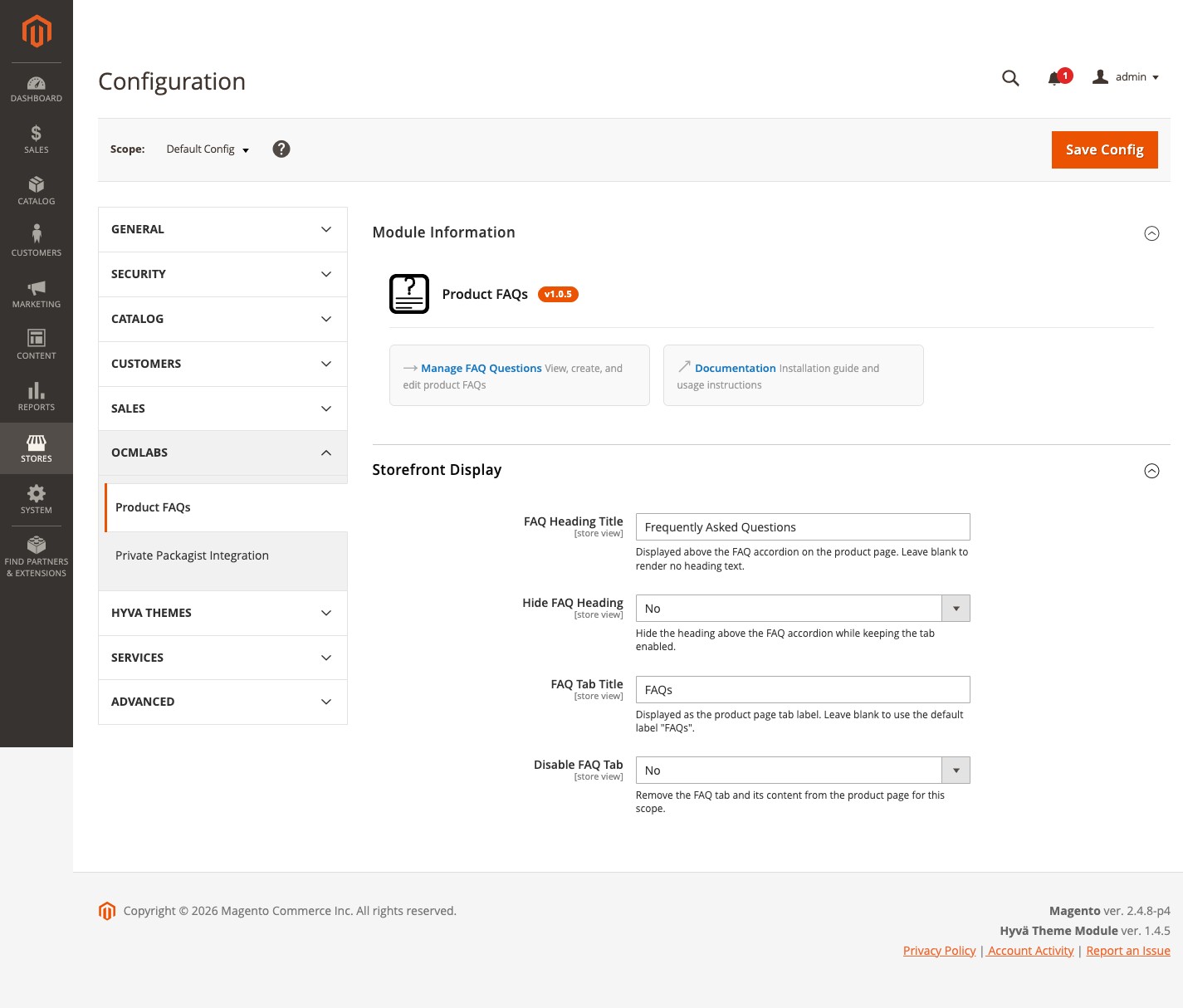
Available settings
- FAQ HEADING TITLE
- Text displayed above the accordion on the product page. Defaults to "Frequently Asked Questions". Leave blank to render no heading text. Config path: ocmlabs_faq/display/heading_title.
- HIDE FAQ HEADING
- Yes/No, default No. Set to Yes to hide the heading above the accordion while keeping the tab. When the heading is hidden, screen readers still receive an aria-label taken from the heading title, then the tab title, then the localised "Frequently Asked Questions" default. Config path: ocmlabs_faq/display/hide_heading.
- FAQ TAB TITLE
- Text of the product detail tab that contains the FAQs. Defaults to "FAQs". Leave blank to use the default label. Config path: ocmlabs_faq/display/tab_title.
- DISABLE FAQ TAB
- Yes/No, default No. Set to Yes to remove the FAQ tab and its content from the product page for this scope. The JSON-LD schema block is also suppressed. Config path: ocmlabs_faq/display/disable_tab.
Behaviour notes
Clearing the FAQ Tab Title field does not leave an unnamed tab. The tab falls back to the default FAQs label so the product tab control is always identifiable to keyboard and screen reader users.
If a product has no active FAQs assigned, the FAQ tab does not appear on that product page at all, even when Disable FAQ Tab is set to No.
Settings are store-view scoped - use the scope selector at the top of the configuration page to override defaults per website or store view.
A separate “Module Information” section on the same configuration page shows the installed version and links to documentation and FAQ management, so you can confirm at a glance which version is live.
After changing settings
Flush the configuration and full page caches:
$ bin/magento cache:flush config full_page Storefront changes are visible immediately after the flush.