
Queue-based delivery, automatic retries with backoff, and the delivery log



The pipeline
When a subscribed event fires, an observer snapshots the entity data and publishes a message to the ocmlabs.webhook.trigger queue on Magento’s built-in db connection - no RabbitMQ required. The queue consumer then renders the template, signs the request, and POSTs it to your URL. Nothing in the shopper or admin request path ever waits on delivery.
The consumer must be running for deliveries to happen - see the Installation page for the two supported setups (Magento cron or a process supervisor).
Retry behavior
Delivery is at-least-once, not exactly-once. A failed delivery (non-2xx response, timeout, or connection error) is rescheduled with exponential backoff:
delay = retry_base_delay * 2^(failed_attempt - 1)With the defaults (60 second base, 3 max attempts):
| Failed attempt | Next attempt delay |
|---|---|
| 1 | 1 minute |
| 2 | 2 minutes |
| 3 | no further retry - marked Failed |
Both values are configurable under Stores > Configuration > OCM Labs > Webhooks > Delivery. A retry cron runs every minute and re-publishes due retries from the stored message, so no re-snapshot happens - the payload stays exactly what the original event captured.
Template render errors are the exception: they are deterministic (the same broken template fails identically every time), so they are never retried. The delivery is marked Failed immediately with the template error captured in the log.
Idempotency
Every attempt of a logical delivery - the original send plus all its retries - shares one UUID, sent as:
X-Webhook-Delivery-Id: <uuid>Treat this as an idempotency key on the receiving end: store the delivery IDs you have processed and skip repeats before acting twice. This is what makes at-least-once delivery safe to build on.
The delivery log
Every attempt is recorded under System > OCM Labs > Delivery Log:
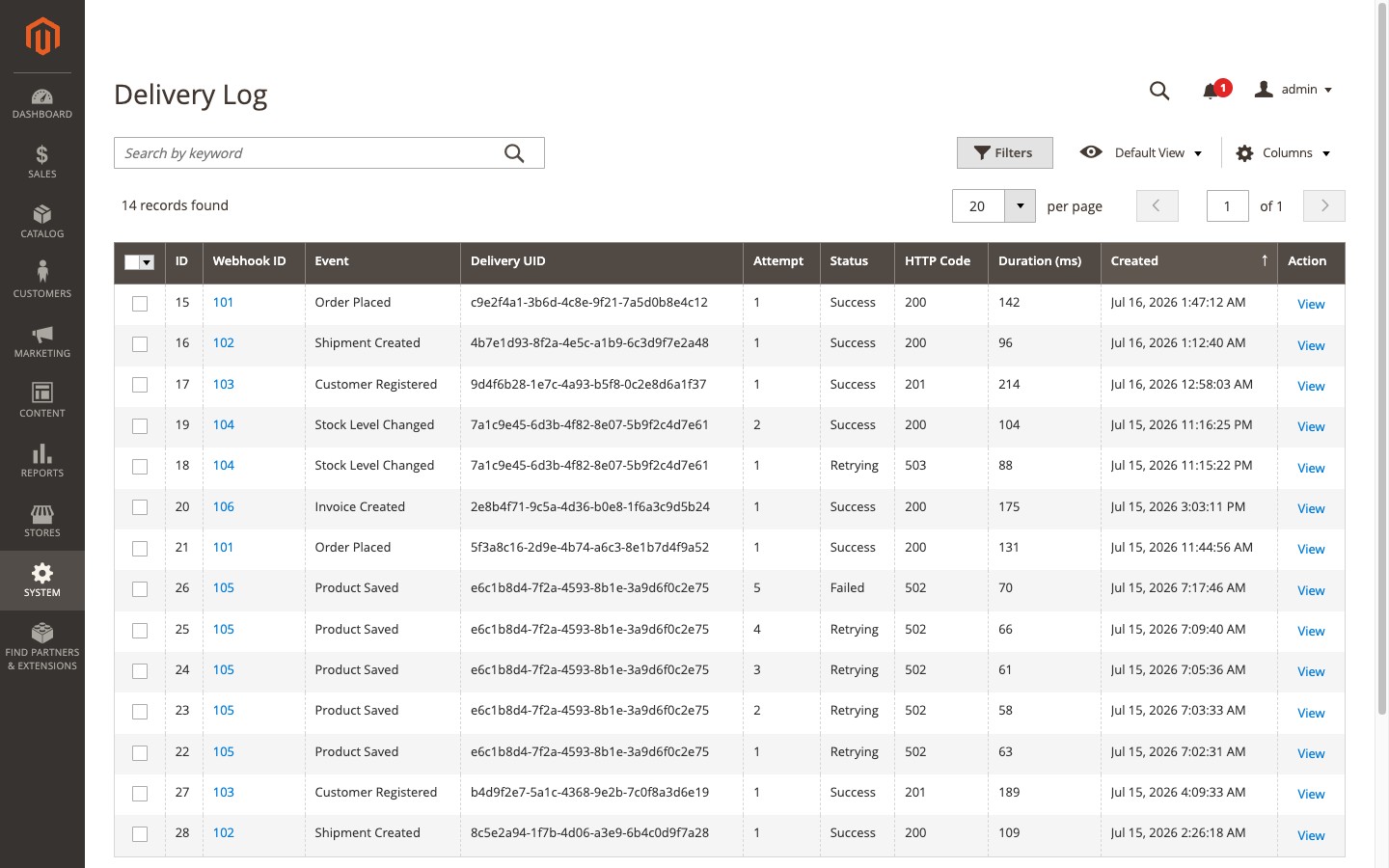
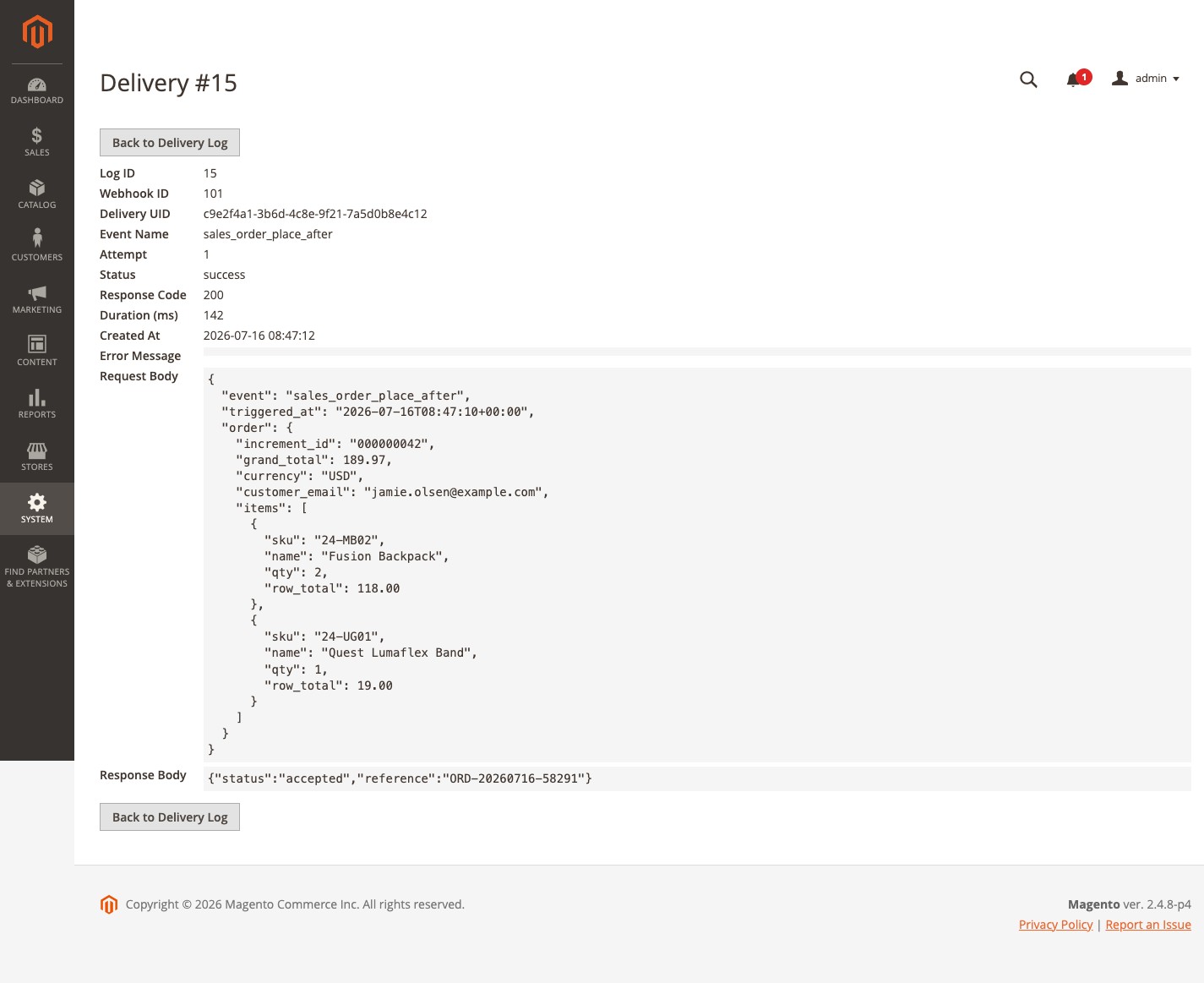
Each row shows the webhook (linked to its edit form), the event, the delivery UUID, attempt number, status (Success / Retrying / Failed), HTTP code, duration, and timestamp. Click through for the full record: error message, the rendered request body (stored only when Log Payloads is enabled), and the response body your endpoint returned.
Entries older than the configured retention window (90 days by default) are pruned automatically by a nightly cron.
Redelivery
Any logged delivery can be sent again, whether it originally failed or succeeded - useful after fixing a receiver bug or restoring an endpoint that was down past the retry window. Use the Redeliver row action on the Delivery Log grid (it asks for confirmation) or the Redeliver button on the delivery detail page.
A redelivery:
- Re-sends the stored request body verbatim to the webhook’s current URL, synchronously, and shows the result straight away.
- Reuses the original
X-Webhook-Delivery-Id, because it is the same logical delivery. Your idempotency check treats it as a repeat unless you clear that ID first. - Adds an
X-Webhook-Redelivery: 1header so receivers can tell it apart from an automatic retry. - Recomputes
X-Webhook-Signatureover the stored body using the webhook’s current secret. - Logs as the next attempt number under the same delivery UUID, marked “(redelivery)”.
Redelivery needs the stored request body, so it is only offered on entries logged while Log Payloads was enabled. Triggering it requires the OCMLabs_Webhook::log_redeliver ACL resource, which is separate from read access to the log, so a read-only role cannot send outbound traffic.