
Fee types, min/max caps, and the condition builder that decides when a fee applies



Every fee is one record created at Sales > Extra Fees > Manage Fees: a display name, a type and amount, a condition set, and the flags that control tax, opt-in behavior, scheduling, and store scope.
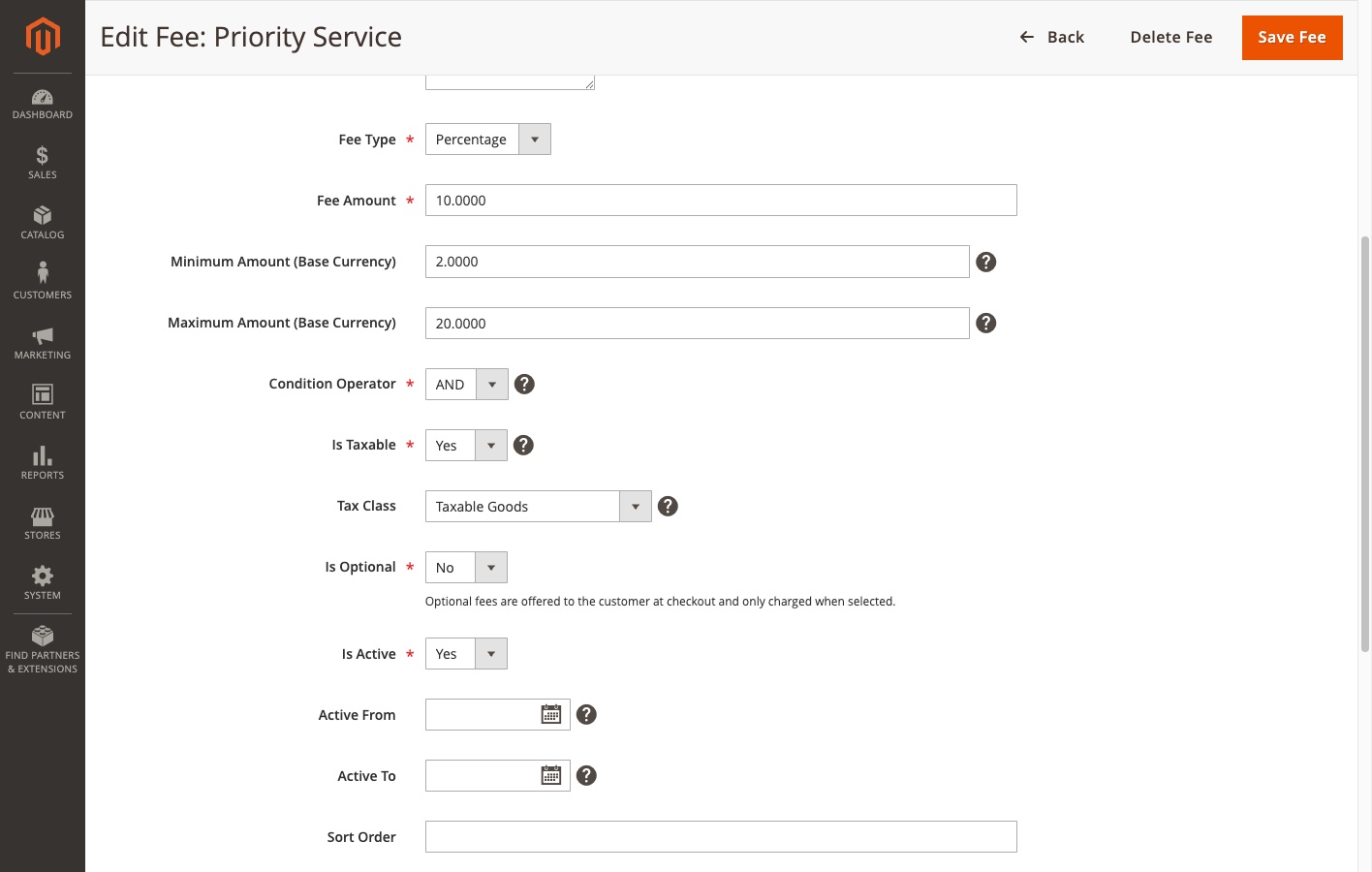
Fixed and percentage fees
Fixed adds a flat amount, entered in the store’s base currency, regardless of how many qualifying items are in the cart. A $10 fixed fee is $10 whether one hazmat item or ten are present.
Percentage computes from the matching items only, not the whole cart: the sum of qty x price (excluding tax) for each qualifying item, pre-discount, times the percentage. Enter 5 for a 5% fee, not 0.05.
Min/max caps on percentage fees
Percentage fees accept optional Min Amount and Max Amount bounds in the store’s base currency. The percentage is calculated first, then clamped - so a 2% fee capped between $5 and $50 always charges between $5 and $50 no matter the cart size. Caps apply before tax and before invoice/refund tracking. Fixed fees ignore both fields; their amount is already exact.
The condition builder
Conditions narrow which carts trigger the fee. A fee saved with no conditions applies to every cart - conditions are a filter, not a requirement.
Each condition row is an attribute, an operator, and a value. The attribute dropdown has two groups:
- Product Attributes - every select/multiselect product attribute, plus SKU with an autocomplete search input. Values for select attributes load via AJAX from your catalog, so there is no manual option ID lookup.
- Cart / Order - eight pseudo-attributes evaluated against the cart itself (table below).
The fee-level Condition Operator combines the rows: AND requires every condition to be satisfied, OR requires any one. Product and cart-level conditions can be freely mixed on the same fee. Note that under AND, each condition must be satisfied by at least one cart item - a single item does not have to match all conditions simultaneously.
Operator semantics for product conditions
- Is (
==) - matches if any cart item has this value. For multiselect attributes this is a “contains” test against each item’s value set. - Is Not (
!=) - matches only if no cart item has this value (not “at least one item lacks it”). >=,<=,>,<- scalar numeric comparisons on one product at a time. They never match multiselect/array values, whatever those contain. Use them with non-multiselect numeric attributes.
Conditions store option IDs, not label text, so a condition keeps working if an attribute option is later renamed. The grid’s Conditions column shows the stored form, e.g. color == 91 AND cart.subtotal >= 100.
For configurable products, both the parent configurable and the selected child product are checked, so variant-level attributes work as conditions. SKU matching is exact - to target several SKUs, add one row per SKU and set the operator to OR.
Cart-level conditions
| Attribute | Compares | Operators |
|---|---|---|
Cart Subtotal (cart.subtotal) | The quote subtotal in the store’s base currency, read from the totals being collected so it always reflects the live cart | Is, Is Not, >=, <=, >, < |
Total Item Quantity (cart.qty) | Total quantity of items in the cart | Is, Is Not, >=, <=, >, < |
Shipping Country (cart.shipping_) | Shipping address country | Is, Is Not |
Shipping State / Region Code (cart.shipping_) | Region/state code, e.g. CA | Is, Is Not |
Shipping Postcode (cart.shipping_) | Shipping address postcode | Is, Is Not |
Customer Group (cart.customer_) | The customer’s group | Is, Is Not |
Shipping Method (cart.shipping_) | Selected carrier/method code, e.g. flatrate_ | Is, Is Not |
Payment Method (cart.payment_) | Selected payment method code, e.g. checkmo | Is, Is Not |
Shipping and payment conditions never match on an incomplete cart. The five conditions that depend on checkout data (country, region, postcode, shipping method, payment method) resolve to empty until the shopper has actually provided that data - and always, on a virtual-only cart. An empty resolved value fails the condition regardless of operator, including Is Not. Fees keyed off these conditions fire only once checkout has reached the relevant step, never on the cart page.
Because cart.subtotal is compared in base currency, “cart subtotal >= 100” means 100 units of the base currency even when the shopper checks out in a different display currency.
Multiple fees stack
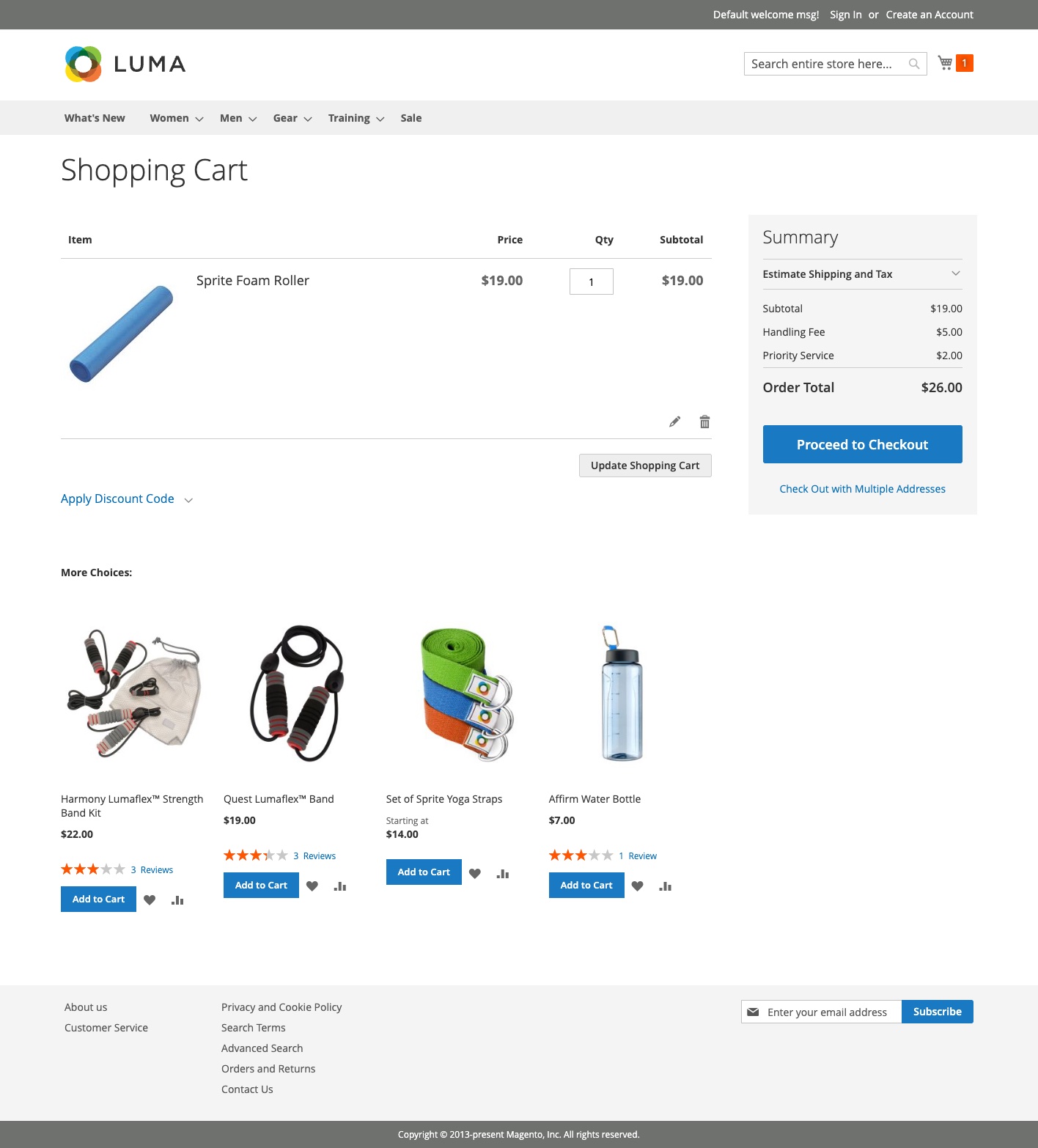
Every fee whose conditions are met fires - there is no priority or conflict resolution. Each triggered fee renders as its own labeled line. Sort Order controls the display sequence (lower first, blanks last); design conditions carefully to avoid unintended overlap.