
The customer-facing Support Tickets experience on the storefront



Customers interact with the Support Tickets module entirely through their Magento account area. Everything is scoped to the logged-in customer - anonymous visitors cannot create or view tickets, and no customer can access another customer’s tickets.
My Support Tickets
After installation, a My Support Tickets link appears in the customer account navigation. The page lists every ticket the customer has opened across the current store view, with status and last-updated metadata.
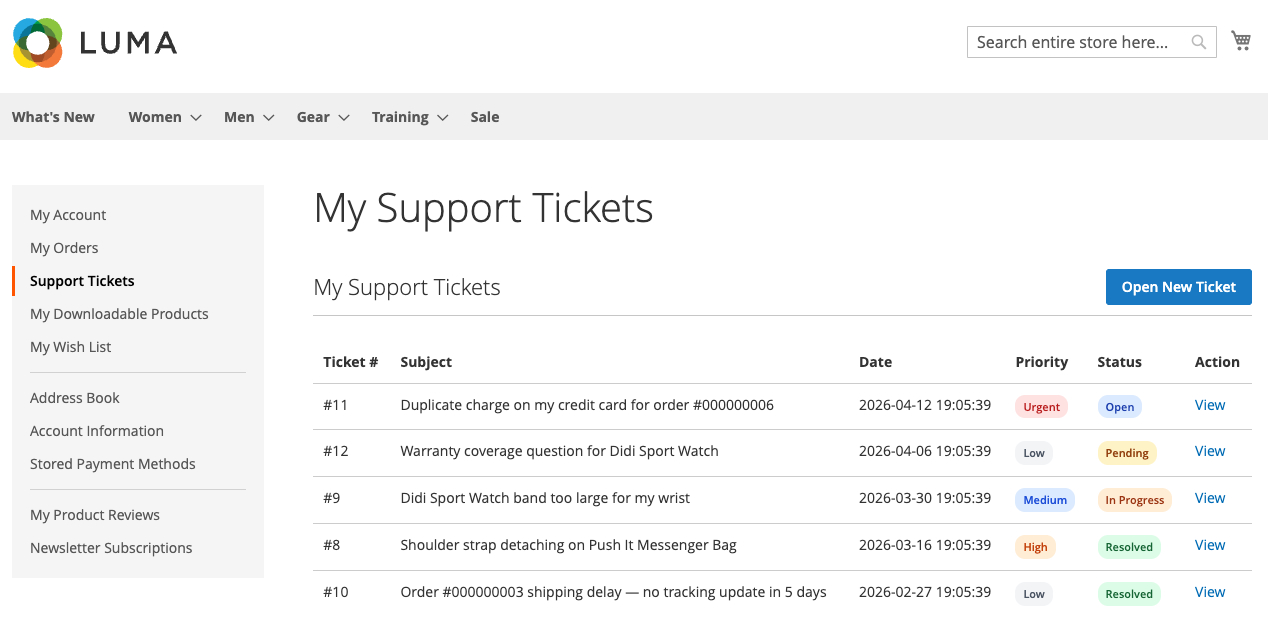
From the list, the customer can:
- Click a ticket row to open the ticket view and see the full comment thread
- Click Create Ticket to start a new ticket
The list is paginated and filtered to the current store view, so on multi-store installations customers do not see tickets they opened under a different store.
Creating a ticket
The create form asks the customer for a subject, a message, a category, a priority, and optionally a product.
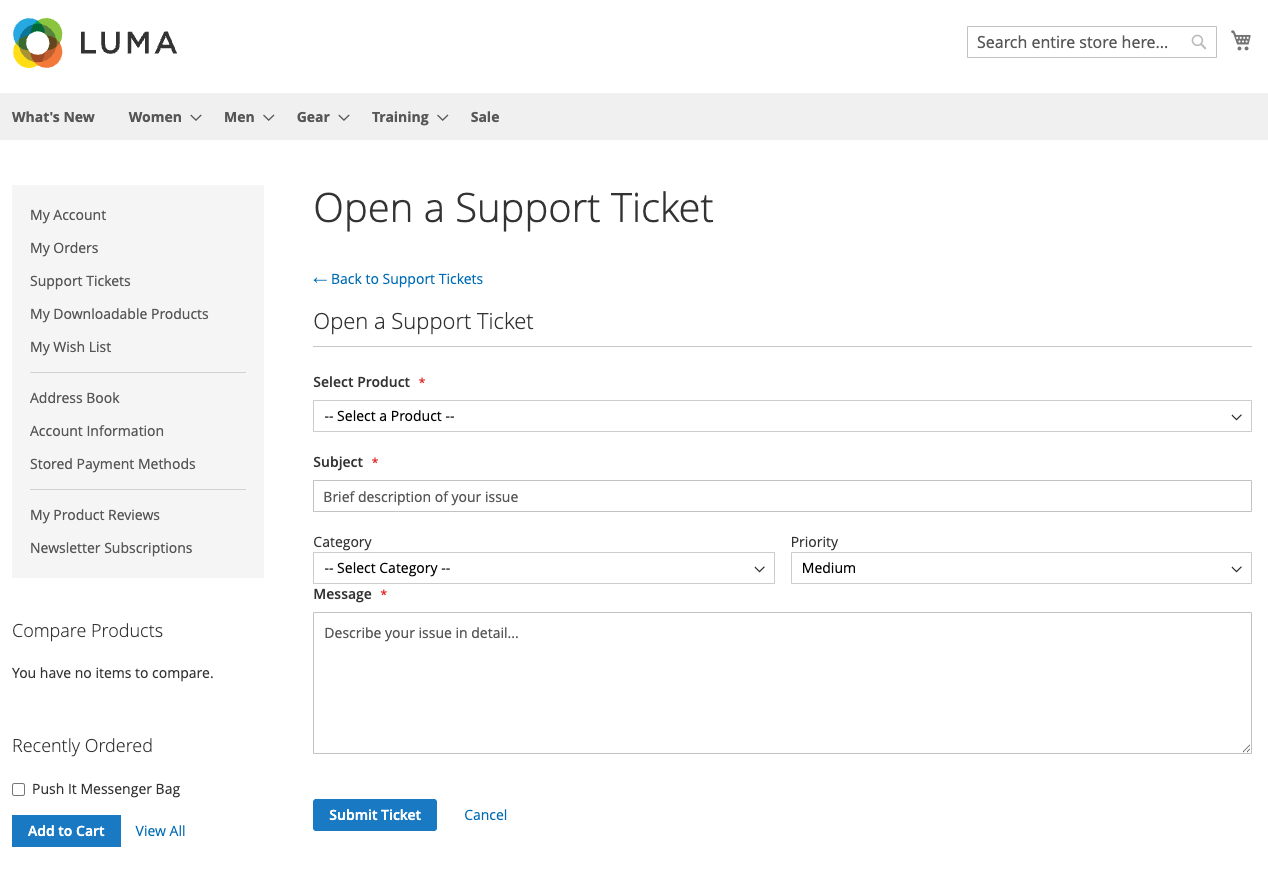
- Subject - Required, plain text.
- Message - Required. This becomes the first entry in the ticket’s comment thread.
- Category - Optional. Billing, Shipping, Product Issue, General, or Other.
- Priority - Optional. Defaults to Medium.
- Related Product - Optional. The dropdown is populated from the customer’s actual order history; customers cannot submit a ticket against a product they have never purchased.
On submission, the module:
- Creates the ticket with status Open.
- Stores the message as the first comment in the thread.
- Sends a confirmation email to the customer.
- Sends an alert email to the configured admin notification address.
Viewing a ticket
The ticket view page shows the full conversation thread plus the current status, priority, category, and related product (if any).
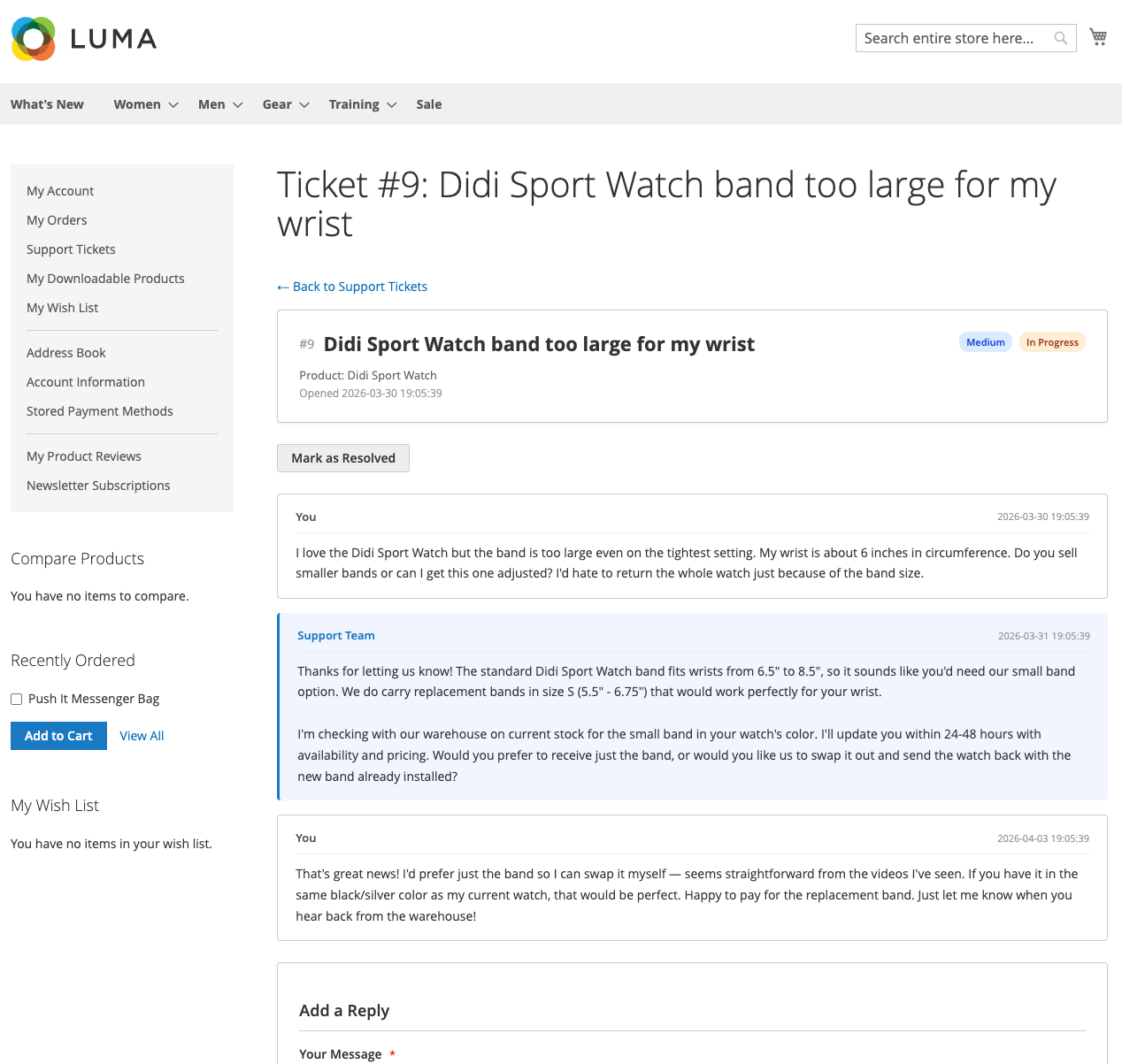
From this page the customer can:
- Read every message in the thread chronologically
- Add a reply using the reply form at the bottom of the thread
- Mark the ticket Resolved when they are satisfied
Adding a reply
Customers type a reply and submit. The module adds the comment to the thread, updates the status (In Progress moves to Pending; Resolved moves back to Open), and sends a notification email to the admin.
Resolving a ticket
The customer can mark their own ticket Resolved from the ticket view page when they are satisfied with the outcome. A resolution email is sent to the customer confirming the close. Admins can also resolve tickets from the backend.
If a customer replies to a resolved ticket, its status automatically returns to Open and admin notifications are triggered again.
The reply field is hidden on resolved tickets in some themes - customers reopen by using the reply flow on the ticket.
The product page Support button
A Support button appears on every product page. The behaviour depends on whether the customer is logged in:
- Logged in and has purchased the product: clicking the button opens the ticket create form with the product pre-selected.
- Logged in but has not purchased the product: the button still opens the create form, but the product dropdown defaults to “no product” because only purchased products are eligible.
- Not logged in: clicking the button redirects to the login page and then back to the create form afterward.
This gives customers a one-click path from a product they have a question about to a ticket scoped to that product, without asking them to re-enter SKU or product name.
Permissions and security
- Scoped to the current customer. Every frontend controller verifies that the session customer owns the requested ticket. Requests for another customer’s ticket return 404.
- Scoped to the current store view. Customers on a multi-store installation only see tickets they opened under the current store.
- Purchase-gated products. The product dropdown and server-side validator both check the customer’s order history, so tickets cannot be opened against products the customer has never bought.